How to secure your WhatsApp account. WhatsApp is used by over 500 million people in India every single day. It is how we talk to family, conduct business, share important documents, and stay connected with friends. But this popularity also makes it a prime target for hackers, scammers, and fraudsters — especially in India, where WhatsApp OTP scams have been rising rapidly.
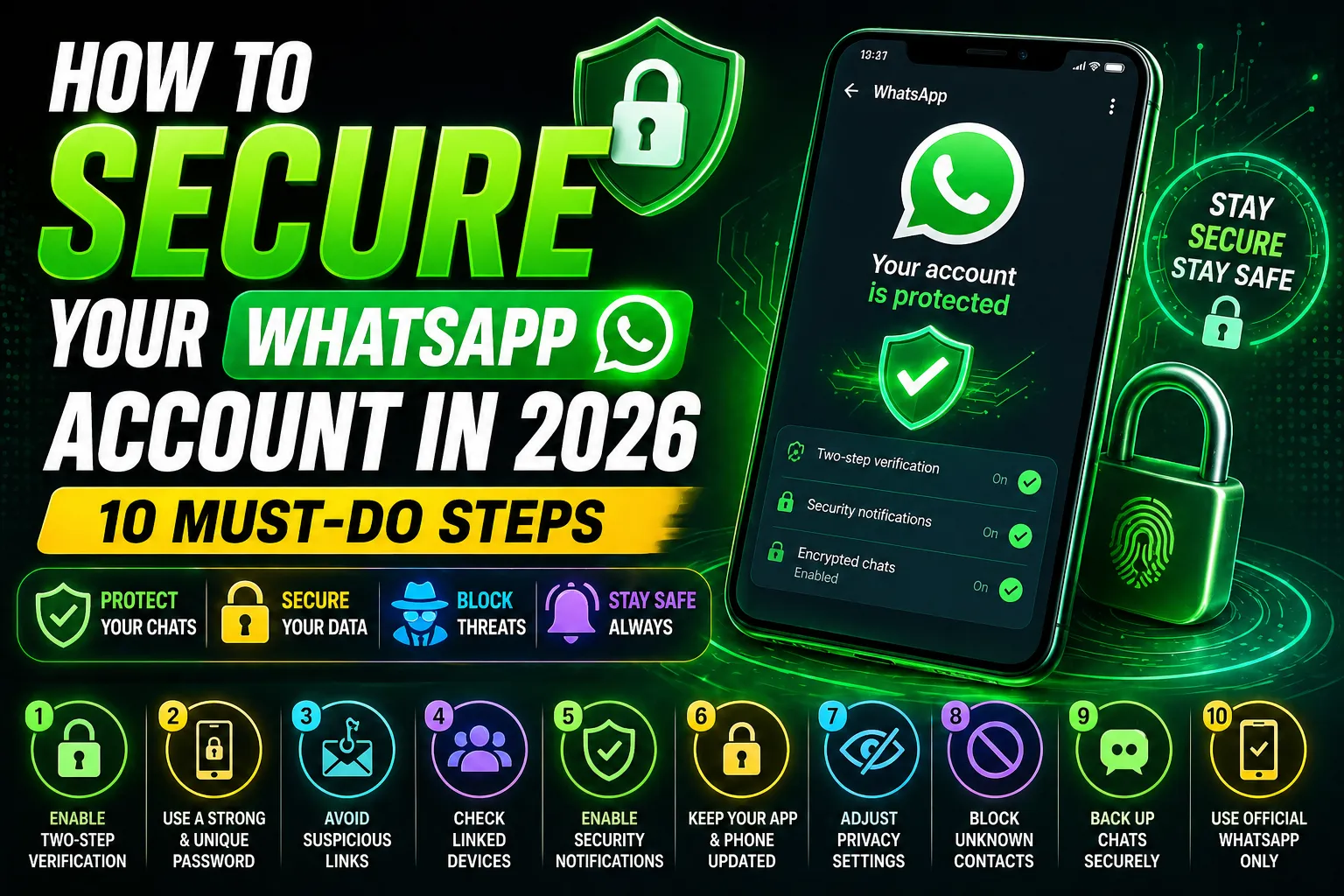
In this guide, TechieWeb.in will walk you through 10 essential steps to secure your WhatsApp account in 2026. These steps are simple enough for anyone to follow — even if you are not technically minded.
Contents
- 1 Step 1: Enable Two-Step Verification — Most Important
- 2 Step 2: Set Up Biometric Lock on WhatsApp
- 3 Step 3: Check Your Linked Devices Regularly
- 4 Step 4: Never Share Your WhatsApp OTP — The Most Common Scam in India
- 5 Step 5: Review Your WhatsApp Privacy Settings
- 6 Step 6: Secure Your WhatsApp Chat Backup
- 7 Step 7: Be Careful With Unknown WhatsApp Video Calls
- 8 Step 8: Add an Extra App Lock for WhatsApp
- 9 Step 9: Always Keep WhatsApp Updated
- 10 Step 10: Know How to Report and Block Quickly
- 11 Frequently Asked Questions: How to secure your WhatsApp account
- 12 Conclusion
Step 1: Enable Two-Step Verification — Most Important
Two-step verification is the single most important security feature on WhatsApp. When enabled, anyone trying to register your phone number on a new device must also enter a 6-digit PIN that only you know — even if they have your OTP.
How to enable: Go to WhatsApp → Settings → Account → Two-Step Verification → Enable. Set a 6-digit PIN and add your email address for recovery. Do not share this PIN with anyone.
Step 2: Set Up Biometric Lock on WhatsApp
WhatsApp has a built-in fingerprint or face unlock feature. This means even if someone picks up your phone while it is unlocked, they cannot open WhatsApp without your biometric authentication.
How to enable: Go to Settings → Privacy → Fingerprint Lock. Turn it on and set it to lock immediately or after 1 minute of inactivity.
Step 3: Check Your Linked Devices Regularly
WhatsApp allows up to 4 linked devices — like WhatsApp Web on a laptop. If someone secretly linked your WhatsApp to their computer, they can read all your messages without your phone. Check this list at least once a month.
How to check: Go to Settings → Linked Devices. You will see all active sessions. If you see any device you do not recognise, tap on it and select Log Out immediately.
The most common WhatsApp scam in India works like this: A fraudster calls you pretending to be from WhatsApp, TRAI, your bank, or even a friend. They say your account is about to be suspended and ask for the 6-digit OTP that WhatsApp will send to your number. The moment you share that OTP, they take over your account completely.
Important rule: WhatsApp will never call you asking for your OTP. No legitimate company will ask for your OTP. If someone asks for your WhatsApp OTP — hang up immediately. It is always a scam.
Step 5: Review Your WhatsApp Privacy Settings
Many Indian users leave their WhatsApp profile photo, status, and last seen visible to everyone — including unknown numbers. This information can be misused by scammers to build fake profiles. Here is what you should set:
- Last Seen and Online: Set to “My Contacts” or “Nobody”
- Profile Photo: Set to “My Contacts”
- About: Set to “My Contacts”
- Status: Set to “My Contacts”
- Groups: Set to “My Contacts” so random numbers cannot add you to unknown groups
How to change: Go to Settings → Privacy and update each setting.
Step 6: Secure Your WhatsApp Chat Backup
WhatsApp backs up your chats to Google Drive (on Android) or iCloud (on iPhone). By default, these backups may not be end-to-end encrypted, which means Google can technically access your chat content. Enable end-to-end encrypted backup to protect your conversations.
How to enable: Go to Settings → Chats → Chat Backup → End-to-end Encrypted Backup. Turn it on and create a strong password or a 64-digit encryption key. Store this key safely — if you lose it, you cannot restore your backup.
Step 7: Be Careful With Unknown WhatsApp Video Calls
A dangerous scam called “sextortion” has been spreading in India. Fraudsters make WhatsApp video calls from unknown numbers, display obscene content for a few seconds, take a screenshot, and then blackmail the victim.
How to protect yourself: Never answer WhatsApp video calls from unknown international numbers (especially +92, +62, +1 prefixes from unknown contacts). If you accidentally answer and something seems wrong, hang up immediately. Go to Settings → Privacy → Calls → Silence Unknown Callers to automatically silence calls from numbers not in your contacts.
Step 8: Add an Extra App Lock for WhatsApp
Beyond WhatsApp’s built-in fingerprint lock, you can add an additional layer of security using your phone’s built-in app lock feature. Most Indian Android phones — Redmi, Realme, Vivo, Oppo — have a built-in app lock in the Security or Privacy settings.
How to enable: Go to your phone’s Settings → App Lock (name varies by brand) and add WhatsApp to the locked apps list. This adds a second layer of protection even if someone bypasses your screen lock.
Step 9: Always Keep WhatsApp Updated
WhatsApp releases regular security updates that patch vulnerabilities and bugs. Running an outdated version of WhatsApp can leave your account exposed to known security exploits.
Enable automatic updates for WhatsApp on your phone, or manually check the Google Play Store at least once a week and update if a new version is available. This simple habit keeps you protected from the latest security threats.
Step 10: Know How to Report and Block Quickly
If you receive a scam message, inappropriate content, or suspicious contact on WhatsApp, know how to report and block them quickly.
How to block and report: Open the chat with the suspicious person. Tap the three-dot menu → More → Block and Report. Reporting sends the last 5 messages from that person to WhatsApp for review. They cannot see that you reported them. How to secure your WhatsApp account
Also, if your account is compromised, you can re-register your number on a new device to kick out the attacker. WhatsApp will log out all other devices when you re-register with your phone number and OTP.
Frequently Asked Questions: How to secure your WhatsApp account
How do I know if my WhatsApp account has been hacked?
Signs that your WhatsApp account may have been compromised include: messages sent from your account that you did not send, contacts reporting strange messages from you, being unable to log in to WhatsApp, or seeing unknown linked devices in your account settings.
Can WhatsApp be hacked without me knowing?
Yes, it is possible through OTP theft, malicious links, or someone physically accessing your phone. This is why enabling Two-Step Verification is so important — it prevents account takeover even if someone steals your OTP.
What should I do if my WhatsApp account is hacked?
Immediately re-register your number on WhatsApp using your phone number and OTP. This logs out the hacker. Then enable Two-Step Verification, change your WhatsApp PIN, and inform your contacts not to respond to any unusual messages sent from your account.
Is WhatsApp safe for banking and financial transactions?
WhatsApp messages are end-to-end encrypted, making them relatively secure. However, avoid sharing OTPs, CVV numbers, or full bank account details over WhatsApp. Scammers frequently pose as bank officials on WhatsApp to steal financial information.
Should I use WhatsApp on two phones?
You can now use WhatsApp on multiple devices using the Linked Devices feature. However, regularly check your linked devices and remove any you no longer use. Having WhatsApp on too many devices increases the surface area for potential security breaches.
Conclusion
Your WhatsApp account contains years of personal conversations, important documents, and private memories. Protecting it takes only a few minutes but can save you from enormous stress and financial loss.
Start with the most important step — enabling Two-Step Verification — right now. Then work through the rest of the list at your convenience. Share this guide with your parents and elderly relatives who may be especially vulnerable to WhatsApp scams.
At TechieWeb.in, we believe that everyone deserves to use technology safely. If you have questions about any of these steps, leave a comment below and we will help you out.