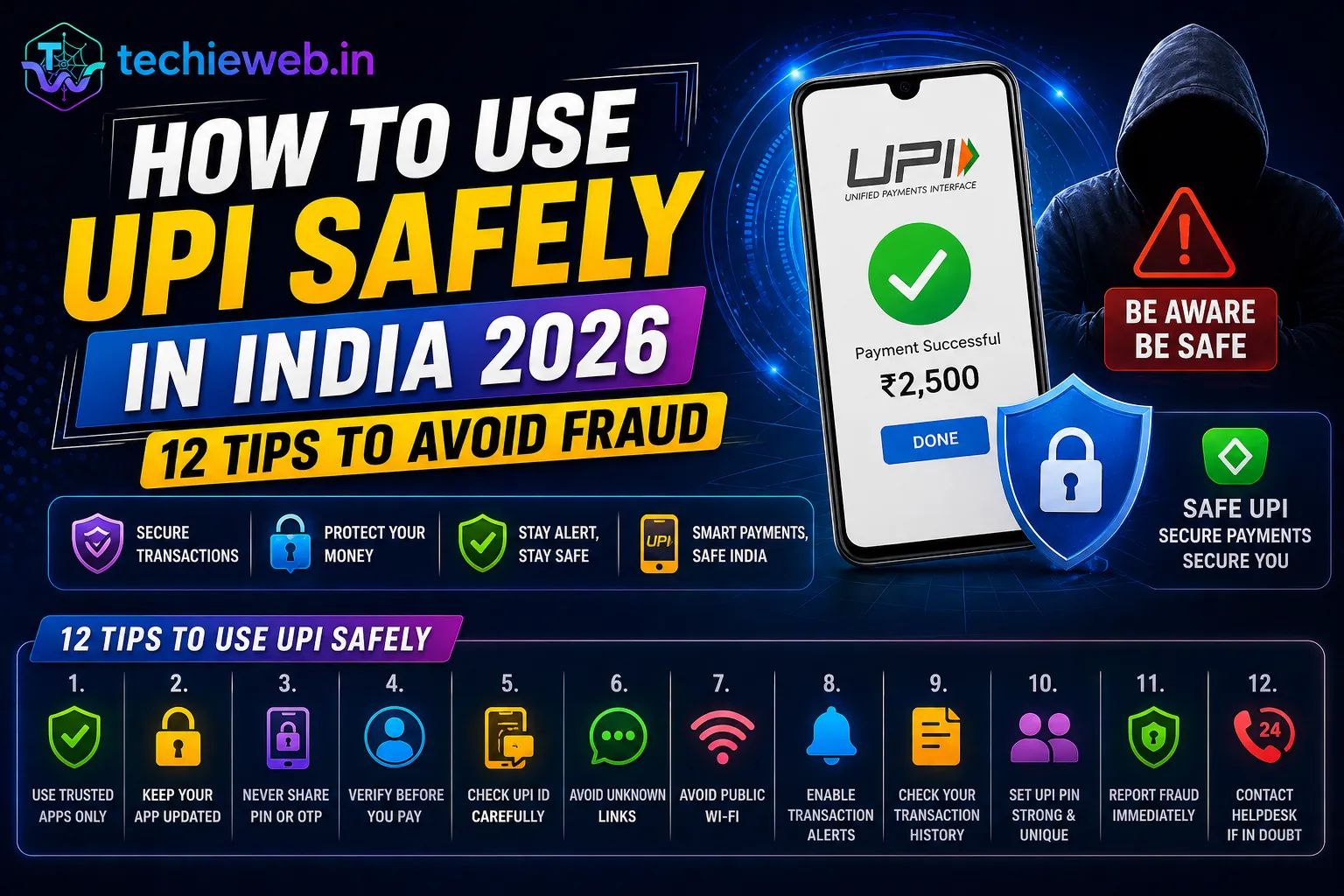
UPI (Unified Payments Interface) has transformed how India handles money. With over 14 billion UPI transactions happening every month in India in 2026, it is the world’s most used digital payment system. Apps like Google Pay (GPay), PhonePe, Paytm, and BHIM have made sending and receiving money as easy as sending a WhatsApp message.
But with this convenience comes risk. UPI fraud cases in India have been rising rapidly. From fake “collect requests” to “UPI refund scams,” Indian consumers lose thousands of crores to UPI fraud every year. The good news is that almost all UPI fraud happens due to human error — not technical hacking. If you know the tricks fraudsters use, you can protect yourself completely.
TechieWeb.in brings you 12 essential tips for How to use UPI safely in India in 2026.
Contents
- 1 How UPI Fraud Works — Know the Enemy
- 2 Tip 1: Never Share Your UPI PIN With Anyone — Ever
- 3 Tip 2: Remember — Receiving Money Does NOT Require a PIN
- 4 Tip 3: Always Verify the Recipient Before Sending
- 5 Tip 4: Set a Daily UPI Transaction Limit
- 6 Tip 5: Enable App Lock on All UPI Apps
- 7 Tip 6: Be Extremely Alert on OLX and Facebook Marketplace
- 8 Tip 7: Never Scan QR Codes from Unknown Sources
- 9 Tip 8: Download UPI Apps Only from Official App Stores
- 10 Tip 9: Never Call Unverified “Customer Care” Numbers
- 11 Tip 10: Always Decline Unexpected Collect Requests
- 12 Tip 11: Keep Your Phone and UPI Apps Updated
- 13 Tip 12: Know How to Report UPI Fraud Immediately
- 14 Frequently Asked Questions: How to use UPI safely
- 15 Conclusion
How UPI Fraud Works — Know the Enemy
Before learning how to protect yourself, understand the most common UPI fraud techniques used by Indian scammers:
- Fake Collect Request: Scammer sends a “collect money” request disguised as a payment. Victim enters their PIN thinking they are receiving money but actually approving a payment to the scammer.
- Fake Customer Care: Victim searches for GPay/PhonePe customer care number on Google. Scammer’s fake number appears in search results. Victim calls, shares screen, and loses money.
- OLX/Marketplace Scam: Buyer on OLX sends a fake QR code claiming “this is how I pay.” Seller scans it and pays money instead of receiving it.
- Screenshare Fraud: Scammer convinces victim to install screen-sharing apps (like AnyDesk, TeamViewer) “for technical support” and then sees the victim’s UPI PIN and bank details.
- KYC Scam: Scammer calls claiming your UPI/bank KYC has expired and your account will be blocked. Asks for OTP and PIN to “complete KYC.” This is always fraud.
Your UPI PIN is the 4 or 6-digit number you enter to authorize outgoing payments. It is equivalent to your ATM PIN. No legitimate bank, NPCI, GPay, PhonePe, or Paytm employee will ever ask for your UPI PIN.
If anyone — over the phone, on WhatsApp, or via text — asks for your UPI PIN, it is 100% fraud. Hang up immediately. No exceptions, no matter how convincing they sound.
Tip 2: Remember — Receiving Money Does NOT Require a PIN
This is the most important UPI safety rule every Indian must know. When you are receiving money, you do not need to enter your UPI PIN. The UPI PIN is only required when sending money.
If someone asks you to enter your PIN to “receive a refund,” “claim a prize,” or “receive payment” — they are actually sending you a collect request that will debit money FROM your account. Entering your PIN at their direction means you are paying them, not receiving from them.
Always remember: PIN to Send, No PIN to Receive.
Tip 3: Always Verify the Recipient Before Sending
Before confirming any UPI payment, verify the recipient’s name shown on the confirmation screen. UPI apps show the registered name of the recipient when you enter their UPI ID or phone number. If the name does not match who you expect to pay — stop and verify before proceeding.
For large payments (above ₹1,000), always do a test transaction of ₹1 first. Confirm the recipient receives it and the name matches before sending the full amount.
Tip 4: Set a Daily UPI Transaction Limit
Most UPI apps and banks allow you to set a daily transaction limit. Setting a lower limit (like ₹5,000 or ₹10,000 per day) means that even if a scammer somehow gains access to your UPI, the maximum damage is limited.
How to set limits: Most banks allow this in their net banking portal or mobile banking app under UPI Settings → Daily Limit. NPCI’s maximum UPI limit per transaction is ₹1 lakh, but you can set a lower personal limit through your bank.
Tip 5: Enable App Lock on All UPI Apps
Always enable the fingerprint or PIN lock within your UPI apps (GPay, PhonePe, Paytm). This means even if someone picks up your unlocked phone, they cannot open your UPI app without your fingerprint or PIN.
Most UPI apps have this setting built-in: GPay → Profile → Privacy & Security → App Lock. PhonePe and Paytm have similar settings in their respective security/settings sections.
Tip 6: Be Extremely Alert on OLX and Facebook Marketplace
Buying and selling on OLX, Facebook Marketplace, and Quikr involves interacting with strangers — and UPI scams on these platforms are very common in India. Common scenarios:
- A “buyer” sends you a QR code claiming it will deposit money into your account. Scanning it actually makes you pay them.
- A “seller” asks for an advance payment via UPI. After payment, they disappear.
- A scammer pretending to be an Army officer or NRI claims to sell items urgently and asks for UPI payment before delivery.
For any OLX or marketplace transaction, always prefer Cash on Delivery or meet in person in a public place. Never send UPI advance payments to strangers.
Tip 7: Never Scan QR Codes from Unknown Sources
QR codes for UPI payments only work for sending money. There is no legitimate reason for someone to send you a QR code so you can “receive” money. If anyone sends you a QR code to scan for receiving a refund or prize — it is fraud.
Only scan QR codes at physical shops and restaurants where you can see the merchant’s official UPI QR code displayed. Verify the merchant name shown after scanning before entering your PIN.
Tip 8: Download UPI Apps Only from Official App Stores
Only download GPay, PhonePe, Paytm, and other UPI apps from the official Google Play Store or Apple App Store. Fake versions of popular UPI apps exist on unofficial websites and third-party app stores — they look identical to the real apps but steal your credentials.
Also, regularly check your installed apps and remove any UPI-related apps you do not recognise.
Tip 9: Never Call Unverified “Customer Care” Numbers
One of the biggest UPI fraud vectors in India is fake customer care numbers appearing in Google search results. When you search “GPay customer care number” or “PhonePe helpline India,” scammer numbers often appear in the top results because they run paid ads or use SEO tricks.
Always find customer care numbers through the official app: Open GPay → Profile → Help → Contact Us. The official number appears within the app. Do NOT use numbers found on Google, WhatsApp, or social media.
Tip 10: Always Decline Unexpected Collect Requests
UPI has a “Collect Request” or “Request Money” feature where someone can send you a request and you approve payment to them. These look similar to receiving a payment notification, which confuses many users.
If you receive a collect request from someone you do not know, or for an amount you did not agree to — decline it immediately. Never enter your PIN to approve a collect request unless you are 100% certain of what you are paying for and to whom.
Tip 11: Keep Your Phone and UPI Apps Updated
UPI apps release security updates regularly. Keeping apps and your Android OS updated ensures you have the latest security patches and fraud detection improvements. Enable automatic updates for your UPI apps in the Play Store settings.
Tip 12: Know How to Report UPI Fraud Immediately
If you have been a victim of UPI fraud, act immediately — the faster you report, the higher the chance of recovering your money.
- Call your bank immediately: Report the fraudulent transaction and ask them to put a hold if possible. Most banks have 24/7 helplines.
- Report on NPCI Dispute Resolution: File a complaint on the NPCI’s official dispute resolution portal.
- Call the National Cybercrime Helpline: Dial 1930 (India’s national cybercrime helpline) immediately. The faster you report, the better chance of freezing the fraudster’s account.
- File a complaint on cybercrime.gov.in: File an official complaint on the National Cybercrime Reporting Portal.
Keep all transaction IDs, screenshots, and details ready when reporting.
Frequently Asked Questions: How to use UPI safely
Can someone hack my UPI account without my PIN?
In most cases, UPI fraud does not involve technical hacking — it involves social engineering (tricking you into sharing your PIN or approving a collect request). A technically secure UPI account can still be compromised if you are tricked into sharing your credentials. Following the tips in this guide protects you from 99% of UPI fraud.
Is it safe to save my UPI PIN in my phone?
Never save your UPI PIN as a note, screenshot, or text message on your phone. If your phone is stolen or compromised, this information can be misused. Memorise your PIN instead.
What should I do if I accidentally entered my PIN for a collect request?
Immediately call your bank and report the transaction as fraudulent. Call 1930 (cybercrime helpline). The money may be recoverable if you report quickly. Change your UPI PIN immediately after reporting.
Is Google Pay safer than PhonePe or Paytm?
All three — GPay, PhonePe, and Paytm — use the same NPCI UPI infrastructure and have equivalent levels of technical security. The risk difference is not in the app but in user behaviour. All are equally safe if you follow the precautions in this guide.
Conclusion
UPI has made financial transactions in India incredibly convenient. But with great convenience comes great responsibility. The most important thing to remember is this: your UPI PIN is only for sending money, never for receiving. Nobody legitimate will ever ask for your PIN.
By following these 12 tips, you can use UPI with confidence and protect yourself from the fraud schemes that are becoming increasingly sophisticated in India. Share this guide with your parents, grandparents, and anyone who uses UPI — they may be more vulnerable to these scams.
Stay safe and visit TechieWeb.in for more technology safety guides made for everyday Indian users!